
Disclosure: VPNFin is reader-supported. If you buy a VPN through links on this page, we may earn a commission at no extra cost to you. This never affects our ratings — here’s our full disclosure.
ExpressVPN on Apple TV works two ways, depending on how old the box is. On an Apple TV HD or 4K running tvOS 17 or later, ExpressVPN has a native app. On older models, it still offers MediaStreamer, a Smart DNS service it continues to support in 2026, unlike Surfshark, which retired its equivalent in February. Alongside NordVPN’s Smart DNS, that keeps a no-router option open for first to third-generation Apple TVs.
This guide covers both routes, and what MediaStreamer does and does not do.
ExpressVPN on Apple TV: The Short Answer
On tvOS 17 or later, install ExpressVPN from the App Store on the Apple TV and sign in with a QR code, your email, or by restoring a purchase, as ExpressVPN’s support page describes.
On older Apple TVs, use MediaStreamer, a router such as Fortify, or share a VPN connection from a Windows PC, the options ExpressVPN lists.
MediaStreamer is not a VPN. ExpressVPN says it does not encrypt traffic or let you choose a location. Our ExpressVPN review covers the service.
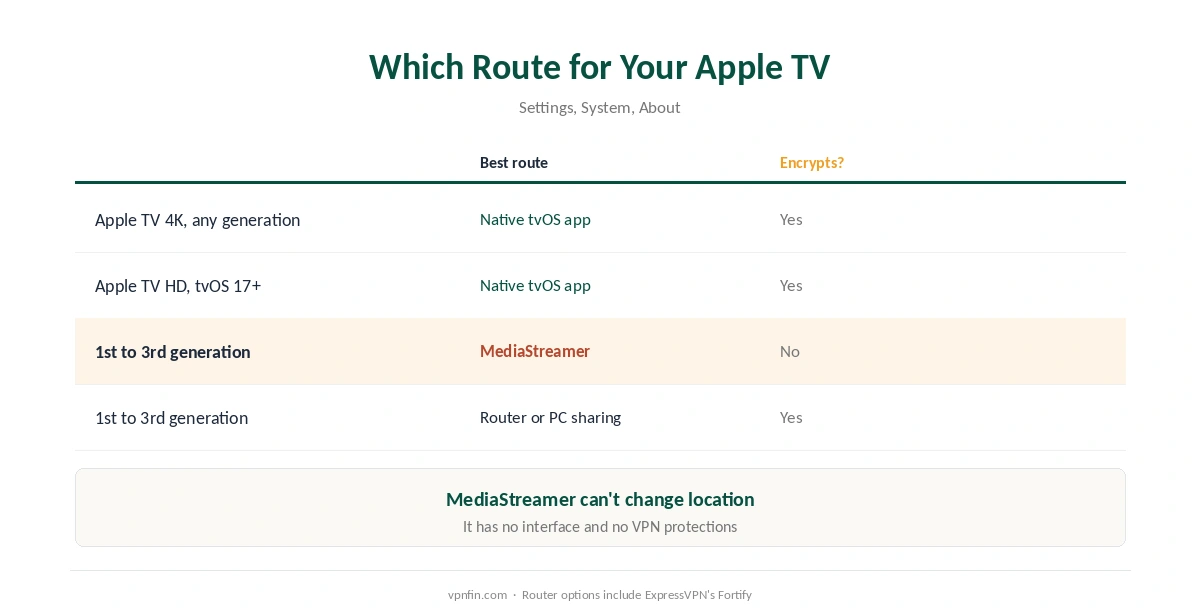
Which Route for Your Apple TV
| Model | Best route | Encrypts? |
|---|---|---|
| Apple TV 4K, any generation | Native tvOS app | Yes |
| Apple TV HD on tvOS 17+ | Native tvOS app | Yes |
| 1st to 3rd generation | MediaStreamer, router or PC sharing | Only via router or PC |
ExpressVPN says every 4K model works with its app. The app offers favourite locations, a speed test and a choice of protocols, according to ExpressVPN’s Apple TV page. The same account runs on iPhone, as our ExpressVPN on iPhone guide explains.
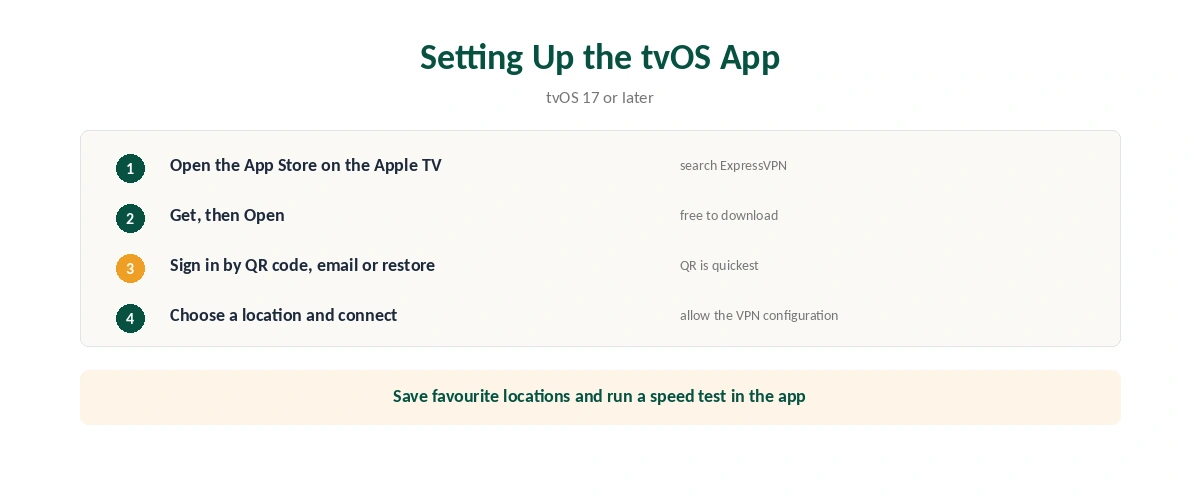
Setting Up the tvOS App
| Step | What to do | Note |
|---|---|---|
| 1 | Update to tvOS 17 or later | Settings, System, Software Updates |
| 2 | Open the App Store and search ExpressVPN | On the Apple TV |
| 3 | Select Get, then Open | Free to download |
| 4 | Sign in by QR code, email or restored purchase | QR is quickest |
| 5 | Choose a location and connect | Allow the VPN configuration |
| 6 | Save favourites, run a speed test | Both in the app |
A plan covers up to 14 devices, depending on the subscription, so the Apple TV sits alongside phones and laptops. Our multi-device guide compares limits.
MediaStreamer on Older Apple TVs
What it is. ExpressVPN describes MediaStreamer as a DNS service designed to improve streaming on devices without VPN support. It has no interface, you cannot change its location, and it offers none of a VPN’s privacy protections.
How it works. You register your home IP address in your ExpressVPN account, then enter the two MediaStreamer DNS addresses shown under Network and smart home into the Apple TV’s network settings. Our Smart DNS comparison explains the trade-off, and our guide to what a VPN hides what MediaStreamer leaves visible.
Keep the registration current. ExpressVPN advises signing in to its website periodically, or using its app on any device on the same network, so the registration follows your IP if it changes.
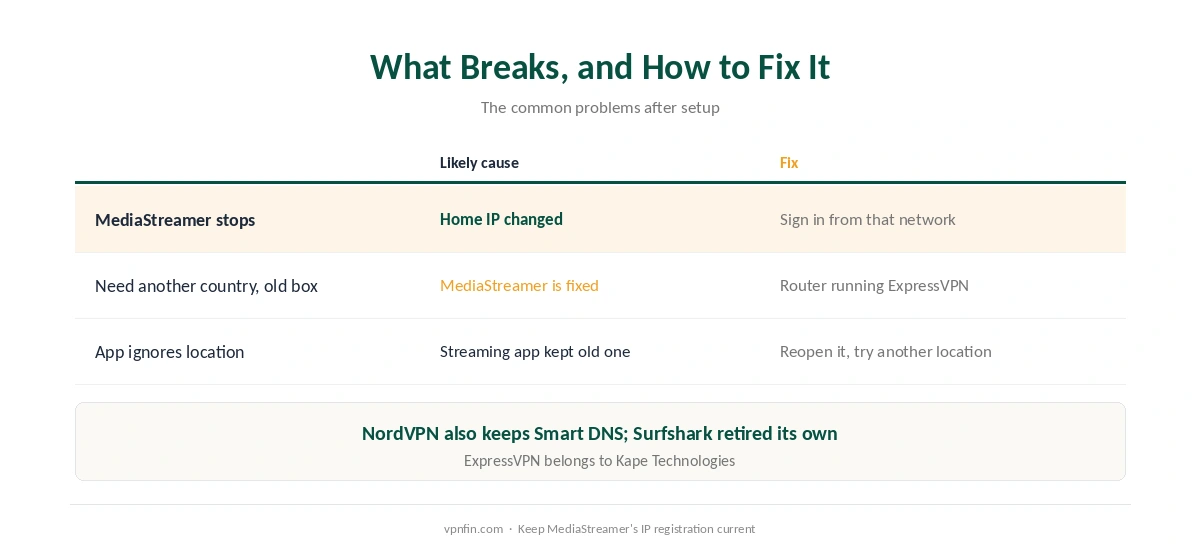
What Breaks, and How to Fix It
MediaStreamer stops working. Your home IP has probably changed. Sign in to your ExpressVPN account from that network, or open the app on a phone connected to it. Surfshark users hit a different wall, as our Surfshark on Smart TV guide explains.
You need a different country on an older box. MediaStreamer cannot change location. Use ExpressVPN on a router instead, as our ExpressVPN on a router guide explains.
A streaming app ignores the tvOS app’s location. Close and reopen it, or pick another location, then confirm the address with our guide to checking a VPN. Our ExpressVPN and Netflix page covers recent results.
Comparing Apple TV Options
NordVPN also has a tvOS app and Smart DNS, while Surfshark has the app but retired Smart DNS, as our NordVPN on Apple TV guide and our Surfshark on Apple TV guide explain. NordVPN and Surfshark share a parent, Nord Security; ExpressVPN belongs to Kape Technologies. Our Apple TV VPN guide compares every provider.
How We Research
The app setup and sign-in options come from ExpressVPN’s tvOS support page, the older-model options from its Apple TV page, and the MediaStreamer details from its support guides for older and newer Apple TVs. We name each source where used; all were read on 26 September 2026. We did not test on an Apple TV ourselves. Our full approach lives on the About Us page.
ExpressVPN on Apple TV FAQ
Yes, for Apple TV HD and 4K models running tvOS 17 or later. Install it from the App Store on the Apple TV.
By scanning a QR code with your phone, with your email, or by restoring a purchase, according to ExpressVPN’s support page.
ExpressVPN’s Smart DNS service for devices without VPN support. It does not encrypt traffic or let you choose a location.
Not with the app. Use MediaStreamer, a router running ExpressVPN, or a VPN connection shared from a Windows PC.
A common cause is a change of home IP address. Sign in to your ExpressVPN account from that network, or use the ExpressVPN app on the same network.
The Verdict
ExpressVPN on Apple TV covers both new and old boxes: a native app on tvOS 17 and later, and MediaStreamer for older models.
Use the app wherever you can, since MediaStreamer changes the streaming region but encrypts nothing.