
Disclosure: VPNFin is reader-supported. If you buy a VPN through links on this page, we may earn a commission at no extra cost to you. This never affects our ratings — here’s our full disclosure.
FastestVPN Windows support comes through its desktop app. FastestVPN’s support pages describe its apps as offering WireGuard, OpenVPN over UDP or TCP and IKEv2, split tunnelling you switch on manually, a kill switch, a built-in ad blocker and categorised servers for P2P, streaming and its D-VPN option. We found no separate, current Windows-only guide, so confirm each setting in your app version. Our page on FastestVPN on Chrome covers the proxy extension, its ad blocker and its limits.
This guide covers the setup, the features, the settings to check and the record.
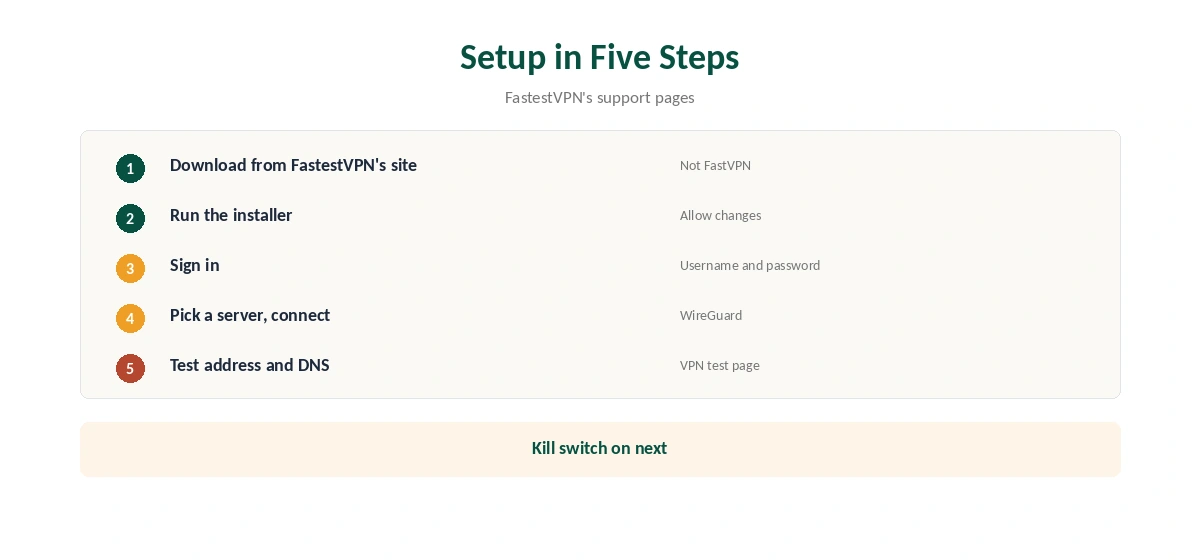
FastestVPN Windows Setup
Download the Windows app from FastestVPN’s website, run the installer and allow it to make changes when Windows asks. Sign in with your FastestVPN username and password, pick a server and connect. Search results often show Namecheap’s FastVPN guides, which describe a different app, so use FastestVPN’s own site.
Confirm the new address with our VPN test page and run our DNS leak guide.
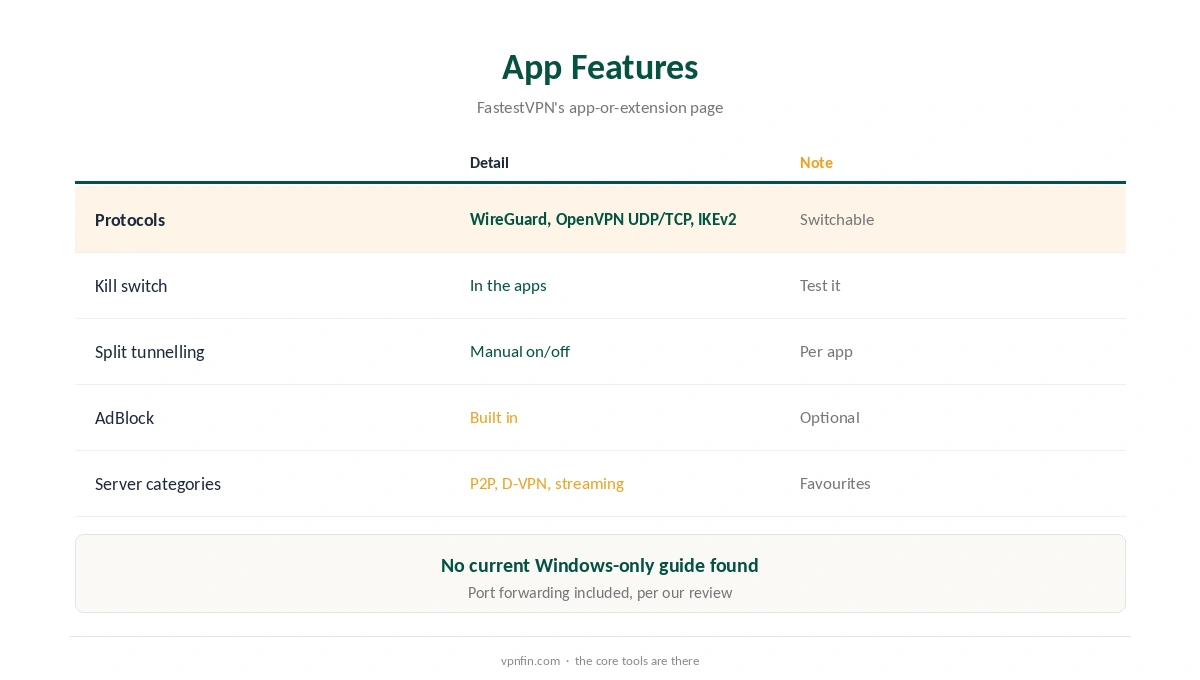
Features in FastestVPN’s Apps
FastestVPN’s app-or-extension page lists WireGuard, OpenVPN-UDP, OpenVPN-TCP and IKEv2, manual split tunnelling, a kill switch, AdBlock and server categories for P2P-optimised, D-VPN, streaming and favourites. Use WireGuard for speed and OpenVPN TCP where networks block other protocols. Our split tunnelling guide explains the idea. Our page on FastestVPN on Mac covers App Store setup, protocols and the kill switch.
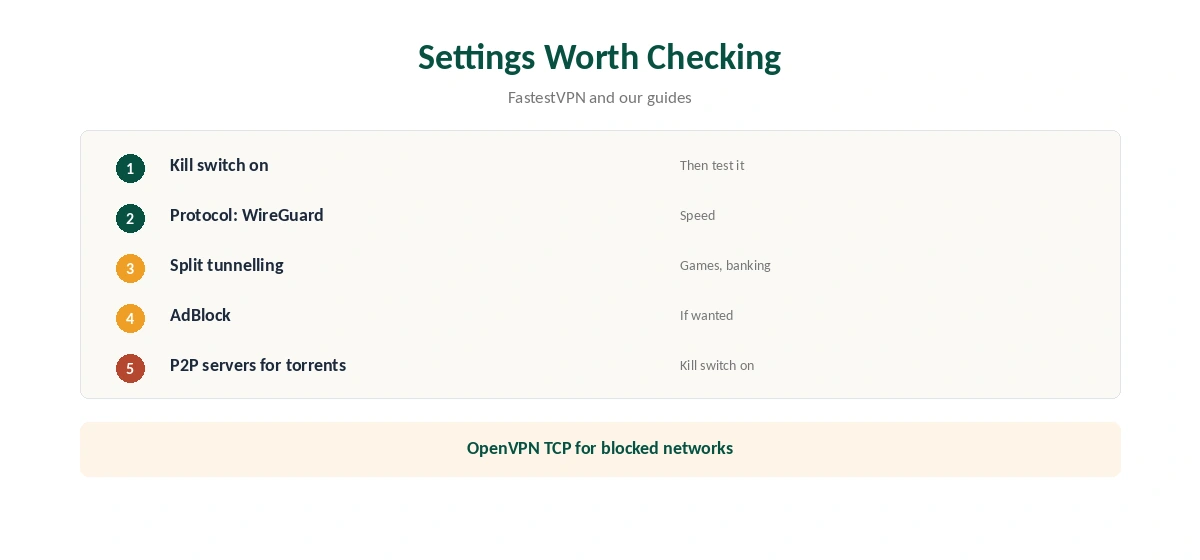
Settings Worth Checking
Turn on the kill switch and test it by disconnecting the network briefly. Choose WireGuard for everyday use. Use split tunnelling to keep a game launcher or banking app outside the VPN. Turn on AdBlock if you want ads filtered at the VPN level. Our kill switch guide explains why the first step matters.
Torrenting on Windows
FastestVPN includes port forwarding, our review notes, and its apps list P2P-optimised servers. Bind your torrent client to the VPN and keep the kill switch on. Our port forwarding guide explains why an open port helps seeding.
FastestVPN Windows on Public Wi-Fi
On laptops that move between cafés, airports and offices, the FastestVPN Windows app protects every program. Turn on the kill switch before you leave home, so a dropped connection stops traffic rather than leaking it. Our public Wi-Fi guide explains the risks.
Gaming on Windows
A VPN adds a step between you and game servers, so expect slightly higher ping. Use split tunnelling to keep the game launcher outside the VPN, or pick a nearby server while playing. Our gaming VPN guide explains what a VPN can and cannot do for games.
Streaming
FastestVPN’s apps list streaming servers. Connect to one in the country of the library you want, then open the service. If it shows the wrong library, clear the browser’s cookies or reopen the app. Our Netflix VPN guide covers the rules streaming services set.
Several PCs
Our tables record 10 devices per plan, with 15 reported on the top lifetime plan. Install the FastestVPN Windows app on each PC and sign in with the same account. Remove old machines from the account when you replace them.
Lifetime Plans and Windows
FastestVPN is known for lifetime deals, which our tables record between $23 and $40 within a year. A lifetime plan suits a family PC you keep for years, but weigh the risk that terms change. Our lifetime VPN guide explains the trade-off.
A Quick Rule
Everyday privacy? WireGuard with the kill switch on. Blocked network? OpenVPN TCP. Torrenting? P2P servers with the client bound to the VPN. Gaming? Split the launcher out.
Comparing Windows Apps
For comparison, our NordVPN Windows guide covers an app from a provider with more audits; NordVPN shares an owner, Nord Security, with Surfshark. Our FastestVPN vs PureVPN page compares a close budget rival.
Quick Check
After setup, disconnect the network briefly and confirm apps stop loading until the tunnel returns. Then run a DNS test once.
Keeping It Updated
Install app updates from FastestVPN’s site when prompted, then confirm the protocol and kill switch settings stayed the same. Test once afterwards.
Troubleshooting
If the app will not connect, switch protocol, then server. Security software can block VPN drivers; allow FastestVPN and restart. Our Windows VPN troubleshooting guide covers more fixes.
FastestVPN Is Not FastVPN
Namecheap sells a different product called FastVPN, with its own Windows app and help pages. Search results often mix the two. Check the developer or publisher name before installing, so you get FastestVPN’s client and follow its own guides.
FastestVPN’s Record
Our audit table records a single audit, by Altius IT in 2023, and our ownership table lists FastestVPN as independent and based in the Cayman Islands. It allows 10 devices, with 15 reported on its top lifetime plan, and includes port forwarding, our review notes. Our VPN audit tracker explains why audits matter.
Related Guides
Our Windows VPN guide compares providers, and our guide to turning off a VPN on Windows covers stubborn cases.
How We Research
This page draws on FastestVPN’s app-or-extension support page, its tutorial index and our FastestVPN review and tables. We cross-checked these sources against each other, and where they conflict or something can’t be verified, we say so in the text rather than guessing. We found no current Windows-only FastestVPN guide. We checked time-sensitive figures, including prices in US dollars, on 7 October 2026. FastestVPN runs lifetime promotions; check the checkout. The main source we relied on is FastestVPN’s tutorial index. Our full approach lives on the About Us page.
FastestVPN Windows FAQ
It does, downloaded from FastestVPN’s website.
WireGuard, OpenVPN over UDP or TCP, and IKEv2, per FastestVPN.
FastestVPN lists a kill switch in its apps; turn it on and test it.
FastestVPN says you can switch it on manually in its apps.
No. FastVPN is Namecheap’s separate product.
The Verdict
FastestVPN Windows support offers the core tools: WireGuard, a kill switch, split tunnelling and an ad blocker. Download from FastestVPN’s own site, test the kill switch, and weigh the single audit.