
Disclosure: VPNFin is reader-supported. If you buy a VPN through links on this page, we may earn a commission at no extra cost to you. This never affects our ratings — here’s our full disclosure.
PrivadoVPN Firestick support comes through its app in the Amazon Appstore, PrivadoVPN’s setup guide shows. You sign in with your username and password, pick a location and click the lock icon to connect. A third-party guide adds QR-code sign-in and a Smart Route setting, PrivadoVPN’s name for split tunnelling. PrivadoVPN’s blog says the Fire TV app is available on all plan levels, including the free plan.
This guide covers the setup, the devices, the settings and the limits.
PrivadoVPN Firestick Setup
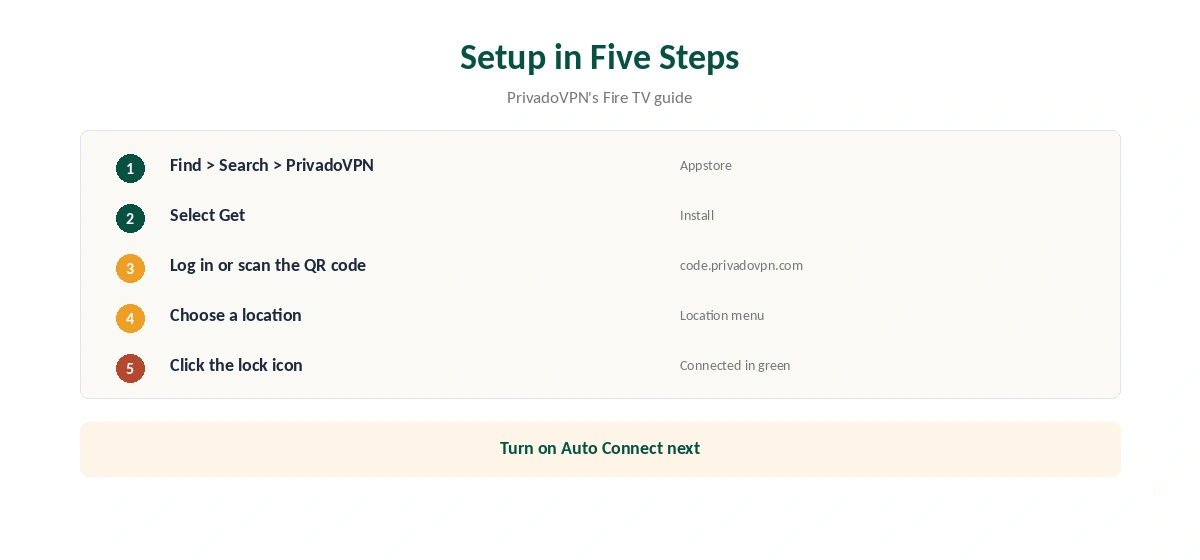
PrivadoVPN’s guide gives the steps. On the Fire TV, go to Find, then Search, and type PrivadoVPN. Select the app and choose Get. Open it, log in with your PrivadoVPN username and password, choose a location and click the lock icon. It turns green and shows Connected.
A 2024 third-party guide describes a faster sign-in: scan a QR code with your phone, or visit code.privadovpn.com and enter the four-digit code shown on the TV.
Which Fire TV Devices Work
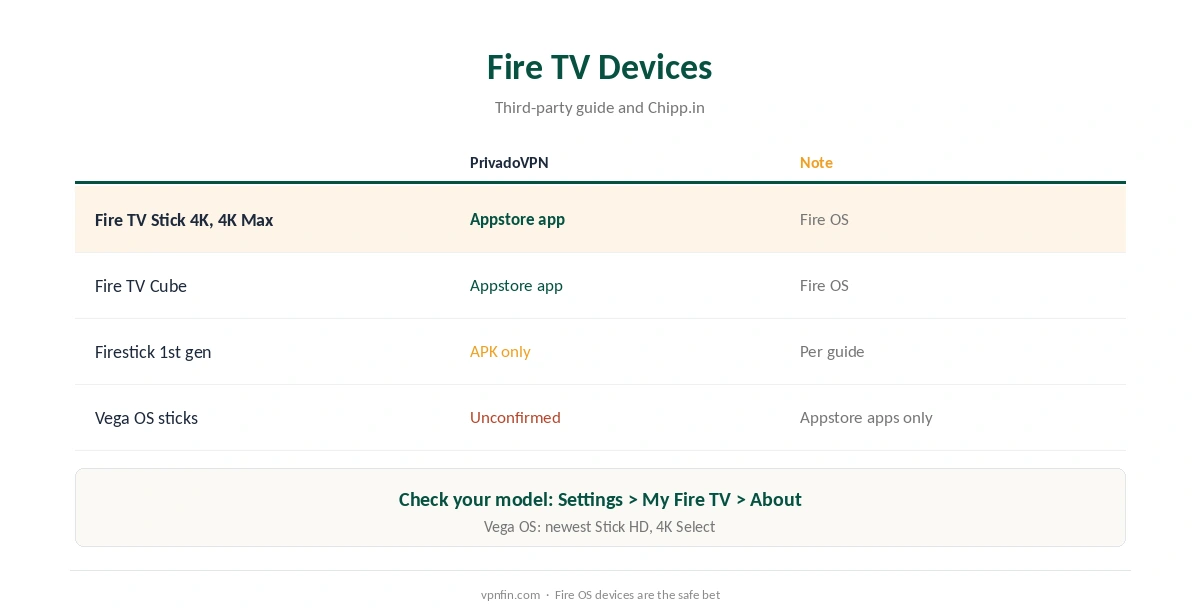
The same guide says PrivadoVPN works on every Fire TV model except the first-generation Firestick, which needs the APK. Amazon’s newer Vega OS devices, such as the latest Fire TV Stick HD and 4K Select, accept only Appstore apps built for Vega, Chipp.in reported in April 2026; we found no confirmation of a PrivadoVPN Vega app. Check your model under Settings, My Fire TV, About.
Settings Worth Checking
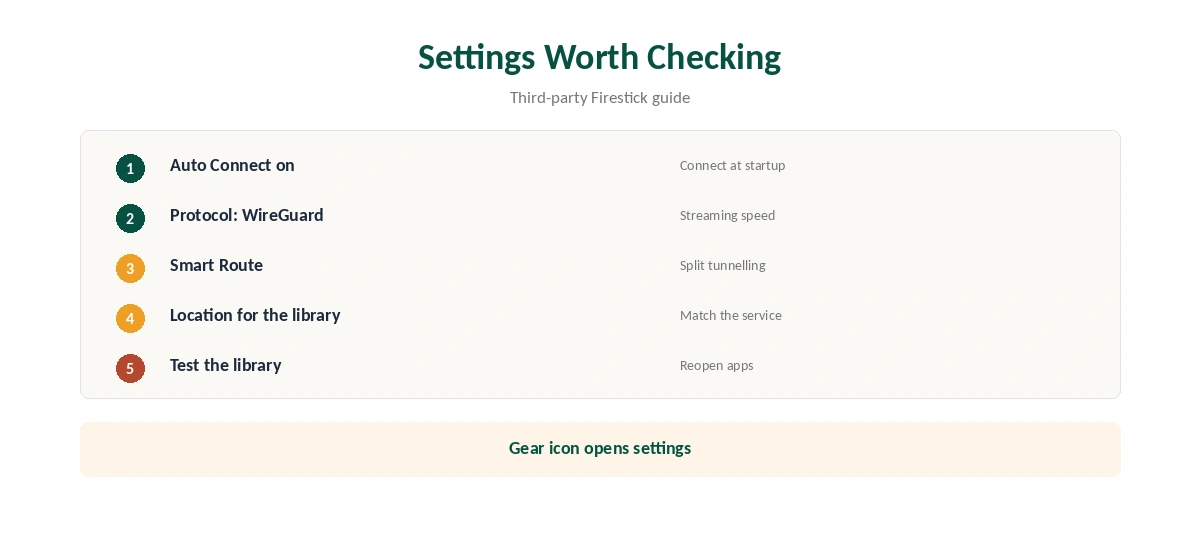
The third-party guide lists Auto Connect, Protocol and Smart Route under the gear icon. Turn on Auto Connect so the stick connects at startup. Choose WireGuard for streaming. Use Smart Route to keep apps that dislike VPNs outside the tunnel. Our split tunnelling guide explains the idea.
When PrivadoVPN Firestick Will Not Connect
Restart the Fire TV, then try another location. If the app stalls after an update, clear its cache in Settings, Applications, Manage Installed Applications. Reinstall from the Appstore if nothing else works. Our Firestick troubleshooting guide covers more fixes.
Several Fire TVs
Premium covers 10 devices, PCWorld notes, so a household can put PrivadoVPN on several sticks, phones and laptops. The free plan covers one device only, so pick the stick you use most.
Other PrivadoVPN Apps
PrivadoVPN’s help centre lists setup guides for Android TV and Apple TV on tvOS 17 or later as well. If you also use an Android phone, our PrivadoVPN Android guide covers that app.
Is PrivadoVPN Firestick Use Worth It?
For a budget TV setup with a usable free tier to test, yes. For heavy streaming, Premium is the realistic choice, and audited rivals are worth comparing first.
Remote-Friendly Tips
Typing a password with a remote is slow, so use the QR code or the code.privadovpn.com sign-in the third-party guide describes. Pin the app to the Fire TV home row so it is one click away. Turn on Auto Connect so you rarely need to open it at all.
A Quick Rule
Fire OS stick? Install from the Appstore and sign in with the QR code. First-generation stick? Use the APK. Vega OS stick? Check the Appstore first, and pick a provider with a confirmed Vega app if PrivadoVPN Firestick support is missing there.
Checking the Connection
Open the Silk browser on the Fire TV and visit our VPN test page to confirm the new address. Then open your streaming app and check the library matches the location.
Keeping It Updated
The Appstore updates PrivadoVPN automatically if you allow it. After an update, reopen the app, check that Auto Connect and your protocol stayed the same, and reconnect. If the app misbehaves, clear its cache before reinstalling.
Quick Check
After connecting, the lock icon should show Connected in green. Then open a streaming app and confirm the library matches the location you chose. If not, close the app fully and reopen it before switching to another server.
Free Plan on a Firestick
The free plan gives 10 GB a month at full speed on one device, then limited-speed servers, as our PrivadoVPN free guide explains. Streaming uses that quickly, so Premium suits a TV. Premium covers 10 devices, PCWorld notes.
Streaming on Fire TV
Connect before opening a streaming app. If it shows your home library, close it fully, clear its cache in the Fire TV settings and reopen it. Our Netflix VPN guide explains how services detect VPNs.
Privacy Record
No independent audit appears in our audit table for PrivadoVPN, which lists Iceland as its base after a 2026 move from Switzerland. Our VPN audit tracker explains why audits matter.
Related Guides
Our Firestick VPN guide compares providers, and our guide to turning off a VPN on Firestick covers stopping it.
For rivals, see our Surfshark Firestick guide; Surfshark shares an owner, Nord Security, with NordVPN.
How We Research
This page draws on PrivadoVPN’s Fire TV setup guide and blog, a 2024 third-party Firestick guide, Chipp.in on Vega OS, PCWorld and our PrivadoVPN tables. We cross-checked these sources against each other, and where they conflict or something can’t be verified, we say so in the text rather than guessing. We checked time-sensitive figures, including prices in US dollars, on 7 October 2026. The main source we relied on is PrivadoVPN’s Fire TV guide. Our full approach lives on the About Us page.
PrivadoVPN Firestick FAQ
It does, in the Amazon Appstore.
PrivadoVPN’s blog says the app works on all plan levels.
A third-party guide says it needs the APK there.
A third-party guide describes Smart Route in the settings.
We found no confirmation; check the Appstore on your device.
The Verdict
PrivadoVPN Firestick support is straightforward through the Appstore app, with QR sign-in and Smart Route. Check Vega OS compatibility before buying, and weigh the missing audit.