
Disclosure: VPNFin is reader-supported. If you buy a VPN through links on this page, we may earn a commission at no extra cost to you. This never affects our ratings — here’s our full disclosure.
VPN not working on Firestick? First find out which system your stick runs, because the fixes differ. Most Fire TV sticks run Fire OS, an Android-based system. Newer models such as the Fire TV Stick 4K Select run Vega OS, which installs apps only from the Amazon Appstore and gained VPN support through the OS 1.1 update in late 2025. To check, open Settings, My Fire TV, About, and look at the software version: Fire OS 8 or OS 1.1, ExpressVPN’s setup guide explains.
This page covers both systems, sorted by symptom, from a VPN that won’t connect to streaming apps that still show the wrong region.
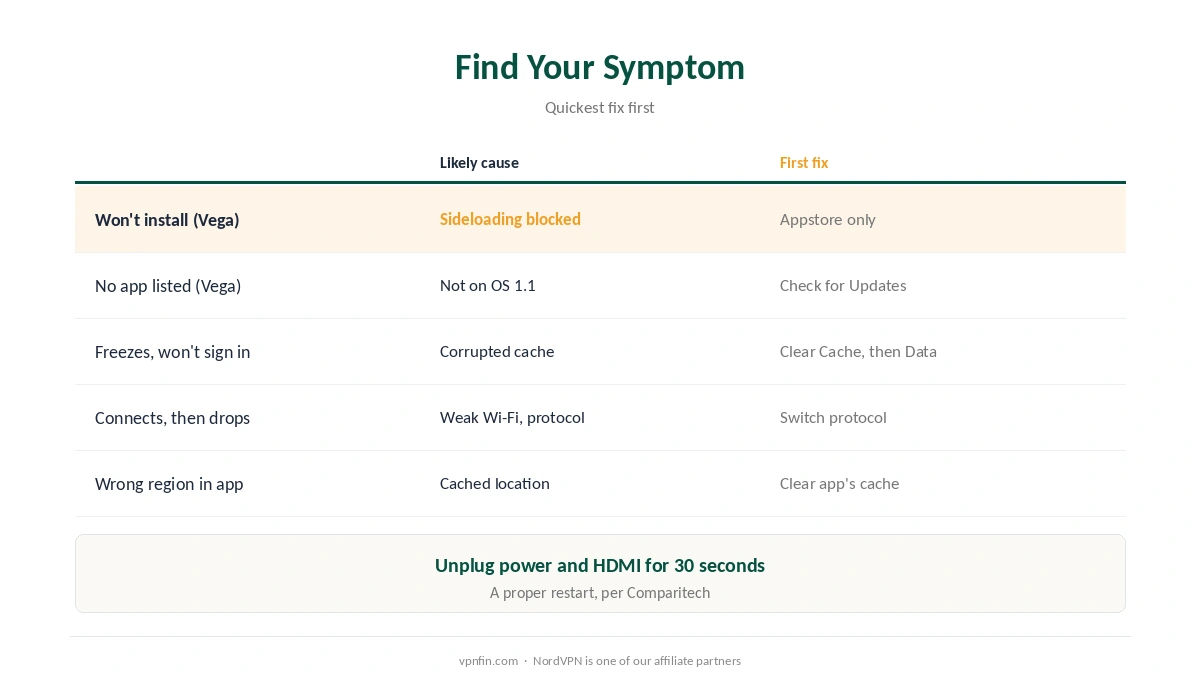
VPN Not Working on Firestick: Find Your Symptom
| Symptom | Likely cause | First fix |
|---|---|---|
| VPN app won’t install (Vega OS) | Sideloading blocked; app not in Appstore | Install from the Amazon Appstore only |
| No VPN app listed (Vega OS) | System not updated to OS 1.1 | Settings, My Fire TV, Check for Updates |
| App freezes or won’t sign in | Corrupted cache after an update | Clear Cache, then Clear Data |
| Connects, then drops | Weak Wi-Fi or blocked protocol | Switch protocol; move the router closer |
| Streaming app shows wrong region | App cached your old location | Clear the streaming app’s cache |
Start with a proper restart. Comparitech recommends unplugging both the power and HDMI cables for 30 seconds, not just switching the TV off, then testing again.
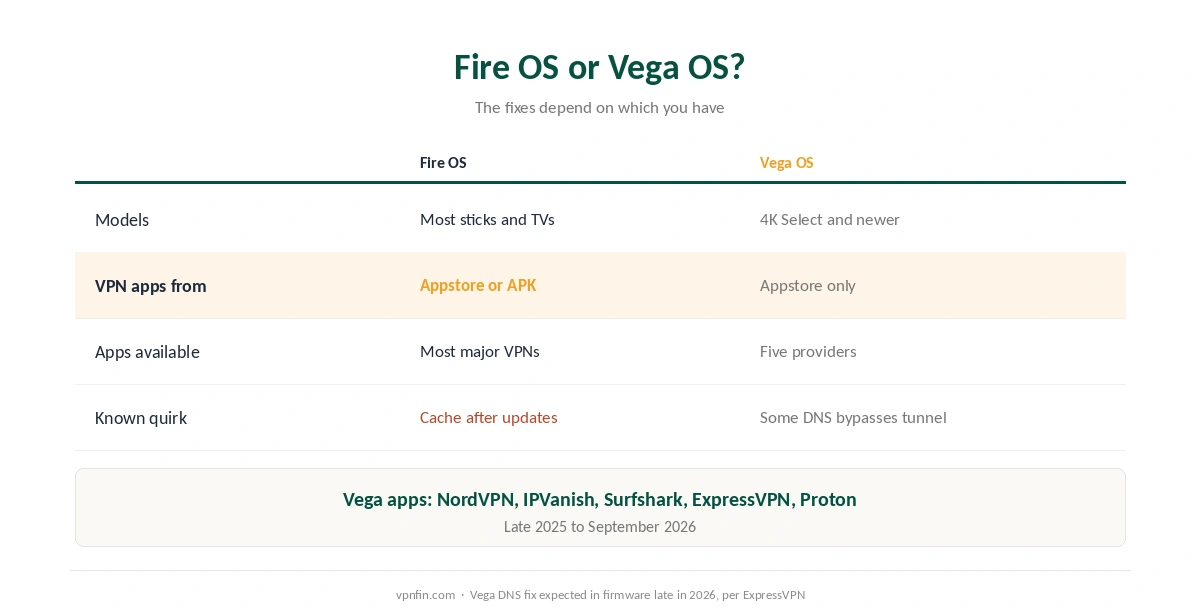
Fire OS or Vega OS?
| Fire OS | Vega OS | |
|---|---|---|
| Models | Most Fire TV sticks and TVs | Fire TV Stick 4K Select and newer |
| Where VPN apps come from | Amazon Appstore, or APK sideloading | Amazon Appstore only |
| Apps available | Most major VPNs | NordVPN, IPVanish, Surfshark, ExpressVPN, Proton VPN |
| Known quirk | Cache problems after updates | Some app DNS lookups bypass the tunnel |
Vega OS arrived without VPN support. NordVPN and IPVanish shipped the first apps in late 2025, Surfshark followed in May 2026, and ExpressVPN and Proton VPN in September 2026. Surfshark said at launch in May 2026 that its Vega app offered core VPN features only.
Vega has a DNS quirk. ExpressVPN’s support page says some apps’ start-up lookups, including Netflix’s, go outside the tunnel because of a platform bug, with a fix expected in firmware late in 2026. Your traffic itself still goes through the VPN. Our DNS leak guide explains why that matters.
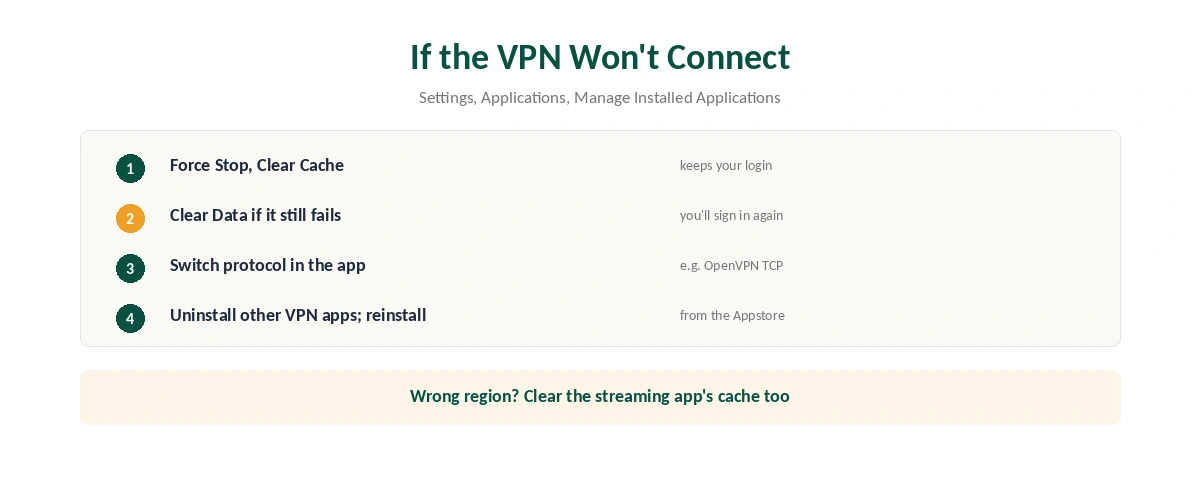
If the VPN Won’t Connect
| Step | Where | What to do |
|---|---|---|
| 1 | Settings, Applications, Manage Installed Applications | Select the VPN, Force Stop, Clear Cache |
| 2 | Same screen | Clear Data if it still fails (you’ll sign in again) |
| 3 | The VPN app’s settings | Switch protocol, such as to OpenVPN TCP |
| 4 | Manage Installed Applications | Uninstall other VPN or proxy apps |
| 5 | Settings, then reinstall from the Appstore | Uninstall, restart, reinstall |
Clear Cache keeps your login; Clear Data doesn’t, VPNalysis notes, so try the cache first. Comparitech adds that cache files can break after Fire OS updates.
Check the Wi-Fi signal if the VPN is not working on Firestick reliably. Sticks often sit behind the TV, and packet loss can collapse a VPN tunnel even when ordinary streaming copes, VPNalysis explains. Our disconnection guide covers drop-outs.
If Streaming Still Shows the Wrong Region
Clear the streaming app’s cache, not just the VPN’s. Apps such as Netflix and Prime Video store location and session data, VPNCentral explains; clearing it makes them read your address again.
Match the server to your account for Prime Video. ExpressVPN advises connecting to the country set in your Amazon account’s Country/Region preference. Our Prime Video guide and our Netflix guide cover the terms side.
Try another server in the same country if one address is flagged. Using a VPN for streaming is a terms question, not a legal one, in most countries.
Provider Guides for Fire TV
Brand-specific steps help when a VPN is not working on Firestick. Our guides cover NordVPN and Surfshark, both owned by Nord Security, with their Fire OS and Vega OS apps.
For the other two with Vega apps, see ExpressVPN on Firestick and Proton VPN on Firestick; Proton’s free plan connects on Vega but doesn’t support streaming.
Turning it off cleanly is covered in our Firestick VPN off guide, and our VPN check guide confirms a fix worked.
How We Research
The Fire OS and Vega OS details, OS check, DNS quirk and Prime Video advice come from ExpressVPN’s Fire TV support pages, updated in August and September 2026. The Vega app timeline comes from Pocket-lint, TechRadar and Tom’s Guide; fixes from Comparitech, VPNalysis, VPNCentral and Symlex VPN, a VPN seller we flag. We read all sources on 28 September 2026. NordVPN is one of our affiliate partners. Our full approach lives on the About Us page.
VPN Not Working on Firestick FAQ
Common causes are a corrupted app cache, a weak Wi-Fi signal, a blocked protocol, or a Vega OS stick that needs the OS 1.1 update. Check which system you have first.
Open Settings, My Fire TV, About. Fire OS shows a version such as Fire OS 8; Vega OS shows OS 1.1.
No. Vega OS installs apps only from the Amazon Appstore. NordVPN, IPVanish, Surfshark, ExpressVPN and Proton VPN have apps there.
The app may have cached your old location. Clear the Netflix app’s cache, reconnect the VPN and open Netflix again.
Yes. Clear Cache keeps your login; Clear Data resets the app, so you’ll sign in again.
The Verdict
A VPN not working on Firestick often comes down to the system: Vega OS sticks need the Appstore app and the OS 1.1 update, while Fire OS sticks respond to cache clearing and a protocol change.
If the VPN connects but streaming doesn’t follow, clear the streaming app’s cache too.