
Disclosure: VPNFin is reader-supported. If you buy a VPN through links on this page, we may earn a commission at no extra cost to you. This never affects our ratings — here’s our full disclosure.
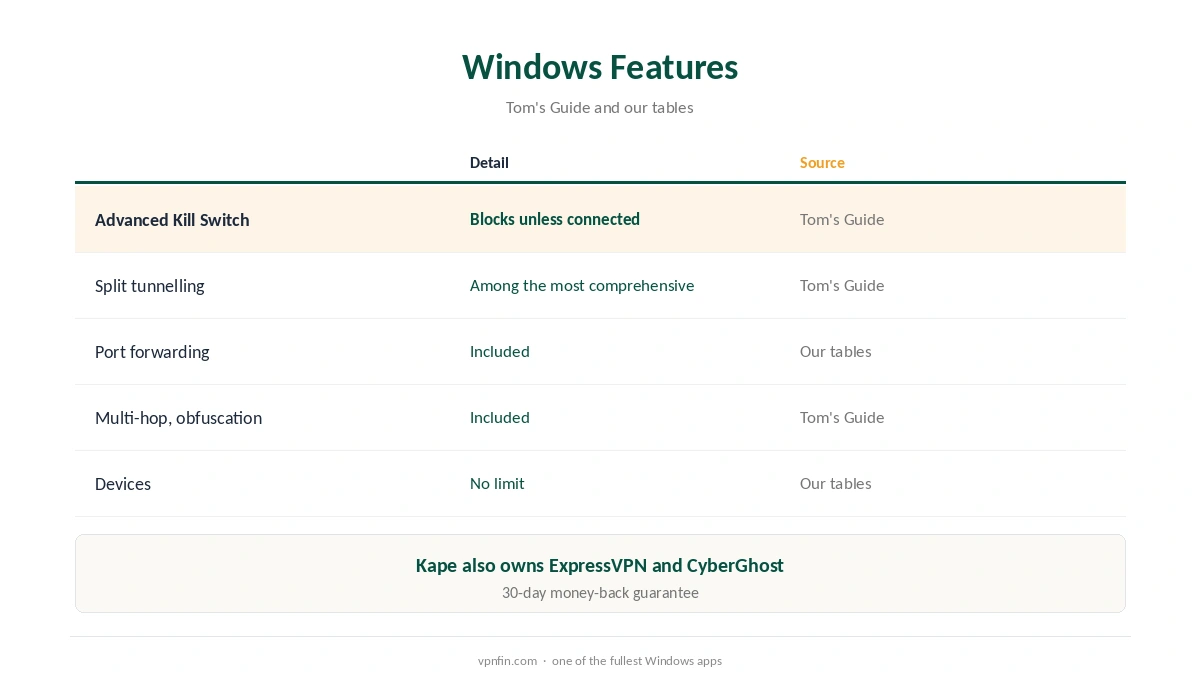
PIA Windows support is one of its strongest platforms. Tom’s Guide praises the Windows app’s split tunnelling as one of the most comprehensive it has tested, and describes an Advanced Kill Switch that blocks internet access at all times unless you are connected. The app adds multi-hop, obfuscation and port forwarding, and PIA sets no device limit, according to our device table.
This guide covers the setup, the features, the settings worth turning on and PIA’s record.
PIA Windows Setup
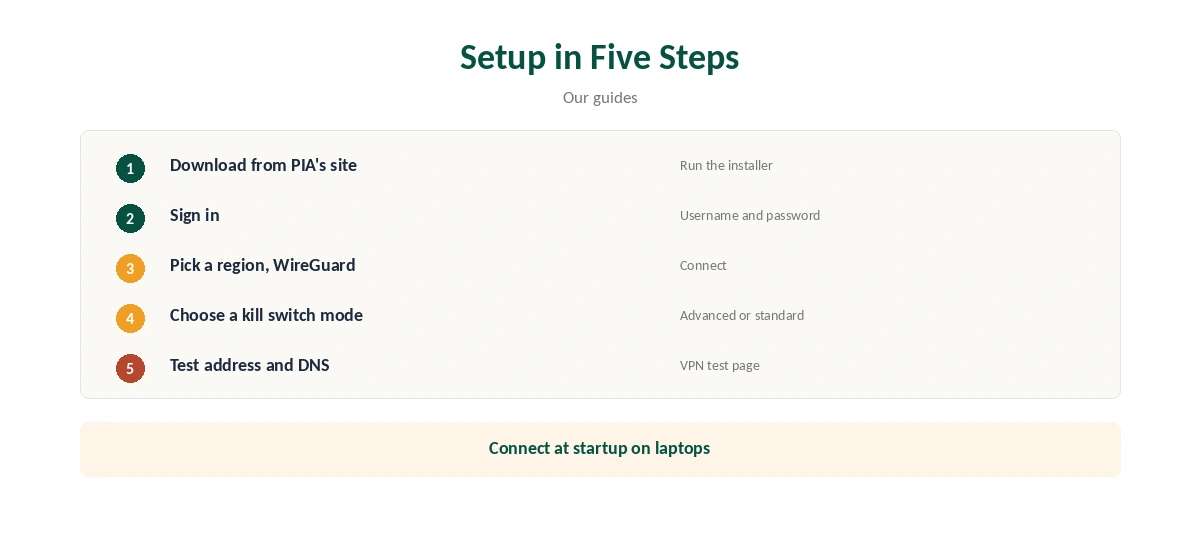
Download the Windows app from PIA’s website, run the installer and allow it to make changes. Sign in with your PIA username and password, pick a region and connect. The app can connect automatically when Windows starts.
Confirm the new address with our VPN test page and run our DNS leak guide.
The Advanced Kill Switch
Tom’s Guide describes PIA’s Windows, Mac and Linux apps as offering an Advanced Kill Switch that blocks internet access at all times unless you are connected to the VPN. It is very secure but strict, so apps that do not work through the VPN may need split tunnelling. Our kill switch guide explains the difference.
Split Tunnelling
Tom’s Guide calls PIA’s split tunnelling on Windows and Mac one of the most comprehensive it has tested. Route chosen apps outside the VPN, or only chosen apps through it. Use it for banking apps, local games or devices on your network. Our split tunnelling guide explains the modes.
Port Forwarding, Multi-Hop and Obfuscation
PIA includes port forwarding, our tables record, which helps torrent seeding. Tom’s Guide lists multi-hop, which routes traffic through two servers, and obfuscation for networks that block VPNs. Our port forwarding guide and obfuscation guide explain each.
Settings Worth Turning On
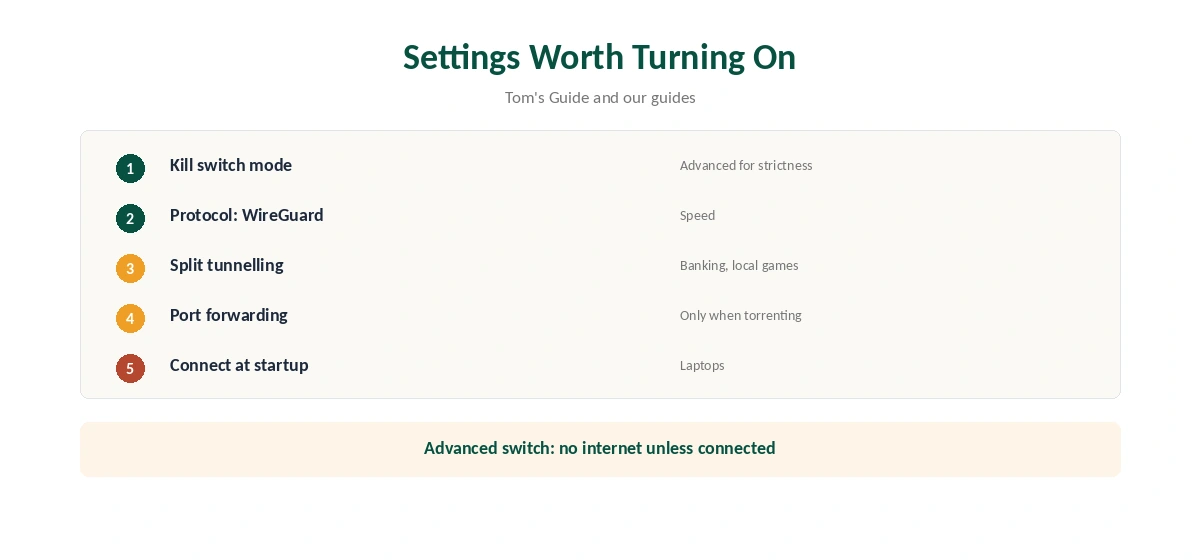
Turn on the Advanced Kill Switch for strict protection, or the standard kill switch if you need local network access. Choose WireGuard for speed. Enable port forwarding only when you torrent, and connect at startup on laptops.
PIA Windows for Torrenting
Turn on port forwarding, keep the kill switch on and route only your torrent client through the VPN if you want other apps at full speed. PIA also offers a SOCKS5 proxy, our tables record, which some torrent clients support directly. Our torrenting VPN guide compares providers.
PIA Windows on Public Wi-Fi
On laptops, connect at startup and use the Advanced Kill Switch on networks you do not trust. That way nothing leaves the laptop until the tunnel is up. Our public Wi-Fi guide explains the risks.
Gaming on Windows
A VPN adds a step between you and game servers, so expect slightly higher ping. Use split tunnelling to keep the game launcher outside PIA, or pick a nearby region. Our gaming VPN guide explains the trade-offs.
Multi-Hop
Multi-hop sends traffic through two servers, which adds privacy but costs speed. Use it for sensitive tasks rather than streaming. Our double VPN guide explains when it helps.
PIA Windows on ARM Laptops
Check PIA’s download page for the right Windows build before installing on an ARM laptop. If the page lists only an x64 build, Windows may run it through emulation with a speed cost, so test before relying on it.
Keeping It Updated
PIA’s Windows app updates itself when you allow it. After an update, check that the kill switch mode, protocol and split tunnelling rules stayed the same, since updates can reset settings.
A Quick Rule
Privacy first? Advanced Kill Switch on. Torrenting? Port forwarding plus the kill switch. Banking or games? Split them out. Many devices? PIA Windows plus the phone apps share one plan without a limit.
Comparing Windows Apps
For comparison, our NordVPN Windows guide and Surfshark Windows guide cover two rivals; NordVPN and Surfshark share an owner, Nord Security.
Streaming on Windows
Pick a region in the country of the library you want, then open the service in your browser. If it shows the wrong library, clear cookies and reload, or try another server in that region. Our Netflix VPN guide explains how streaming services detect VPNs.
Quick Check
After setup, disconnect the network briefly. With the Advanced Kill Switch on, nothing should load until PIA reconnects. Then run a DNS test once, and repeat both checks after app updates. Our guide to PIA Dedicated IP covers token system, setup and limits.
Troubleshooting
If PIA will not connect, switch protocol, then region. Security software can block the VPN driver; allow PIA and restart. If the Advanced Kill Switch leaves you offline, connect to a region or turn the switch off. Our Windows VPN troubleshooting guide covers more fixes.
PIA’s Record
PIA belongs to Kape Technologies, which also owns ExpressVPN and CyberGhost. Its money-back guarantee lasts 30 days, as our PIA refund guide explains.
Related Guides
Our Windows VPN guide compares providers, and our PIA review covers the service in full.
How We Research
This page draws on Tom’s Guide’s PIA review and our PIA, device and ownership tables. We cross-checked these sources against each other, and where they conflict or something can’t be verified, we say so in the text rather than guessing. We checked time-sensitive figures, including prices in US dollars, on 7 October 2026. The main source we relied on is Tom’s Guide’s PIA review. Our full approach lives on the About Us page.
PIA Windows FAQ
It does, with an Advanced Kill Switch, split tunnelling and port forwarding.
Per Tom’s Guide, it blocks internet access at all times unless the VPN is up.
Tom’s Guide calls it one of the most comprehensive it has tested.
PIA sets no device limit.
Kape Technologies, which also owns ExpressVPN and CyberGhost.
The Verdict
PIA Windows support is among the most complete: strict kill switch, detailed split tunnelling, port forwarding and unlimited devices. Weigh Kape ownership if that matters to you.