
Disclosure: VPNFin is reader-supported. If you buy a VPN through links on this page, we may earn a commission at no extra cost to you. This never affects our ratings — here’s our full disclosure.
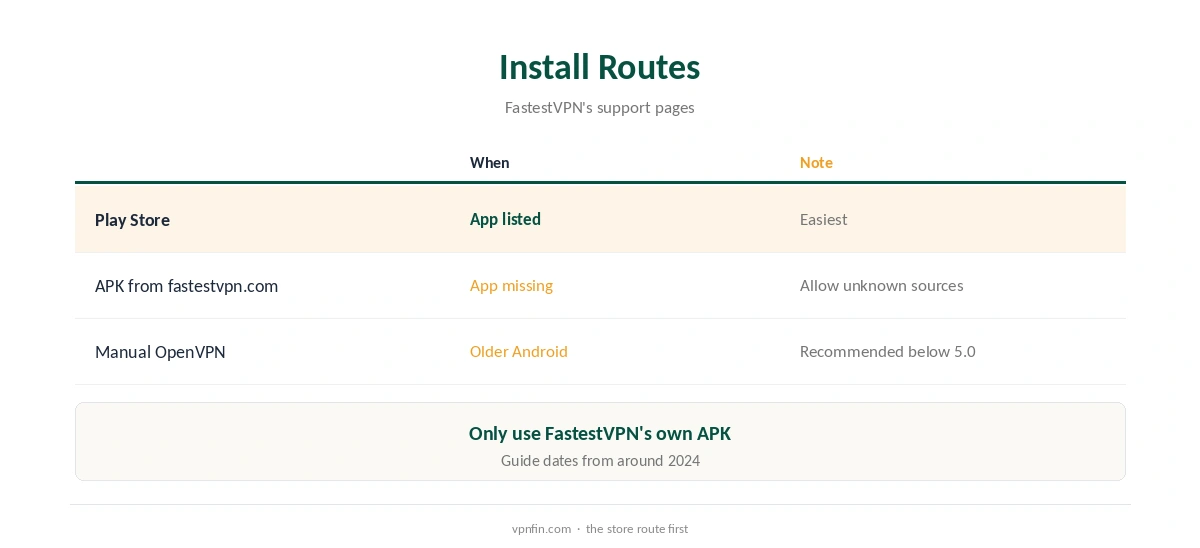
FastestVPN Android TV support comes through its Android app, which FastestVPN’s support pages say runs on Android 5.0 or later, including TV boxes. Install it from the Play Store, or sideload the APK from FastestVPN’s download page if your device lacks the store. Its plan listings name WireGuard, IKEv2 and OpenVPN and a kill switch. Note that FastestVPN is not Namecheap’s FastVPN, a separate service with its own TV app.
This guide covers the setup, the features, the limits and the record.
FastestVPN Android TV Setup
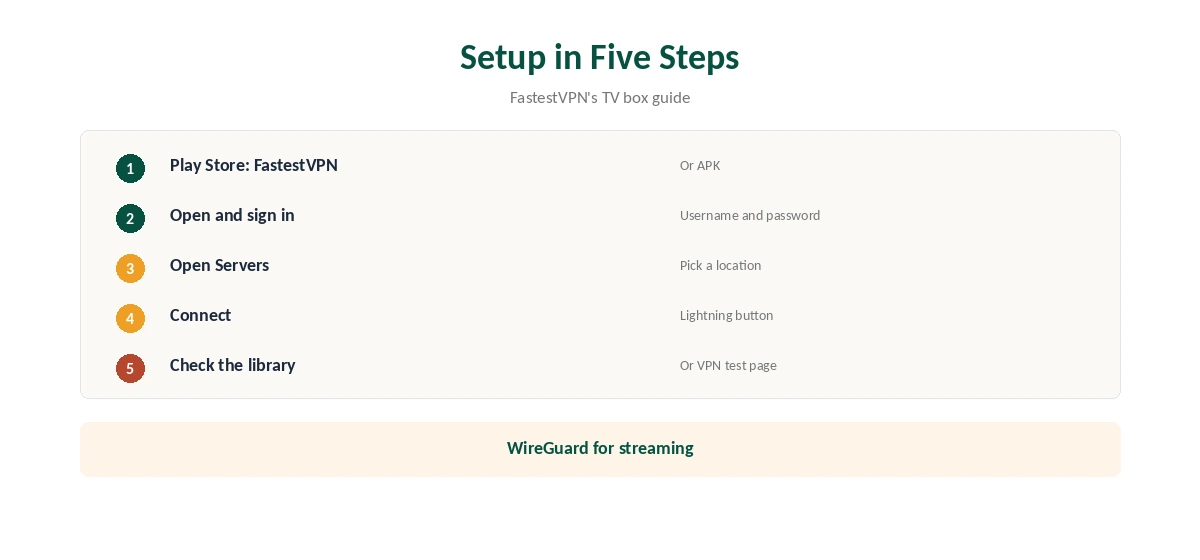
FastestVPN’s TV box guide gives the steps. Install the app from the Play Store and open it. Sign in with your FastestVPN username and password. Open Servers, pick a location and connect; the lightning button disconnects. The guide dates from around 2024, so screens may have changed.
Sideloading the APK
If the Play Store does not list the app on your device, FastestVPN’s guide says to open a browser on the TV, visit its download page and choose the Android APK. You may need to allow downloads from unknown sources. Only install the APK from FastestVPN’s own site.
Features
FastestVPN’s lifetime plan listings name WireGuard, IKEv2 and OpenVPN, a kill switch, a NAT firewall and an ad blocker. Its Android download page mentions WireGuard activation. Use WireGuard for streaming, since it adds the least overhead, and turn on the kill switch if your app version shows it.
Do Not Confuse It With FastVPN
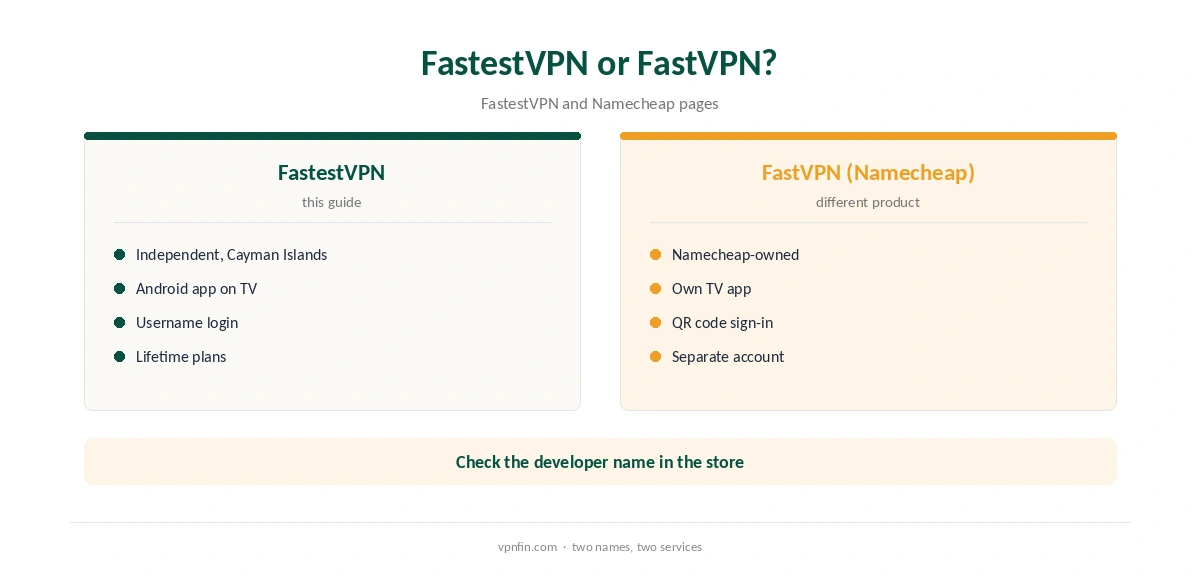
Namecheap sells a different product called FastVPN, with its own TV app and QR code sign-in. FastestVPN is an independent provider based in the Cayman Islands, our ownership table records. Check the developer name in the Play Store before installing.
FastestVPN Android TV on an Nvidia Shield
The Shield runs Android TV and installs apps from the Play Store, so the standard steps apply. Its stronger processor handles encryption alongside 4K streams better than budget boxes. Use wired Ethernet where possible for steadier speeds.
Fire TV Devices
FastestVPN’s support pages also list Fire TV guides. Fire TV runs Amazon’s Appstore rather than Google Play, so the steps differ, and newer Vega OS sticks block sideloading entirely. Our Firestick VPN guide covers that platform.
Streaming Tips
Connect before opening a streaming app. If the app shows the wrong library, close it fully, clear its cache in the TV’s app settings and reopen it. Our Netflix VPN guide explains how services detect VPNs.
Troubleshooting
If the app will not connect, switch protocol, then server. Restart the TV box after app updates. If the Play Store version will not install, use the APK from FastestVPN’s site. Contact support through the in-app chat that its plan listings describe.
Lifetime Plans and TV Boxes
FastestVPN is known for lifetime deals, which suit a TV box you plan to keep for years. Weigh the risk that a lifetime service changes terms or closes, as our lifetime guide explains. A shorter plan limits what you lose if it does.
A Quick Rule
Android TV or Google TV box? Install from the Play Store. App missing? Sideload FastestVPN’s own APK. Fire TV with Vega OS? Pick a provider with a native Fire TV app instead. In every case, check the developer name before installing, so you get FastestVPN rather than FastVPN.
Checking for Leaks
After the FastestVPN Android TV app connects, run our DNS leak guide from the TV’s browser if it has one, or from another device on the same network if the VPN runs on a router. Our FastestVPN vs PureVPN page compares a close rival on leaks and price.
Several TVs
Our tables record 10 devices per plan, enough for several TV boxes, phones and laptops in one household. Install the app on each TV and sign in with the same account. Remove old devices from the account when you replace a box, so they do not count against the limit. Check the account page now and then.
Devices and Plans
Our tables record 10 devices, with 15 reported on its top lifetime plan, and lifetime promotions between $23 and $40 within a year. Our lifetime VPN guide explains the risks of lifetime deals.
FastestVPN’s Record
Our audit table records a single audit, by Altius IT in 2023, and a Cayman Islands base outside the main intelligence alliances. Port forwarding is included, our review notes. Our FastestVPN review covers the rest.
Checking the Connection
After connecting, open a streaming app and check the library, or use the TV’s browser to visit our VPN test page.
Related Guides
Our Nvidia Shield VPN guide and Google TV Streamer guide cover two popular boxes.
For rivals, our NordVPN Android TV guide covers one alternative; NordVPN shares an owner, Nord Security, with Surfshark.
How We Research
This page draws on FastestVPN’s support guide for Android TV boxes, its Android download page, lifetime plan listings and our FastestVPN review and tables. We cross-checked these sources against each other, and where they conflict or something can’t be verified, we say so in the text rather than guessing. We checked time-sensitive figures, including prices in US dollars, on 7 October 2026. The main source we relied on is FastestVPN’s Android TV guide. Our full approach lives on the About Us page.
FastestVPN Android TV FAQ
It does, through its Android app on Android 5.0 or later.
Sideload the APK from FastestVPN’s download page.
No. FastVPN is Namecheap’s separate product.
Its listings name WireGuard, IKEv2 and OpenVPN.
Altius IT checked it in 2023, per our audit table.
The Verdict
FastestVPN Android TV setup is simple through the app or APK. Check the developer name to avoid confusing it with FastVPN, and weigh its audit record.