
Disclosure: VPNFin is reader-supported. If you buy a VPN through links on this page, we may earn a commission at no extra cost to you. This never affects our ratings — here’s our full disclosure.
A PureVPN PS4 setup needs a workaround, because PlayStation consoles cannot install VPN apps. There are two routes: a router running PureVPN, or a Windows PC sharing its PureVPN connection. Smart DNS, which some providers offer for consoles, is not part of PureVPN’s line-up, according to VPNAlert’s comparison.
This guide covers both routes, what the VPN can and cannot do on a PS4, and the settings that matter for online play. The same steps apply to a PS5. Our PureVPN smart TV guide covers TVs with the same limits.
Why Use PureVPN on a PS4
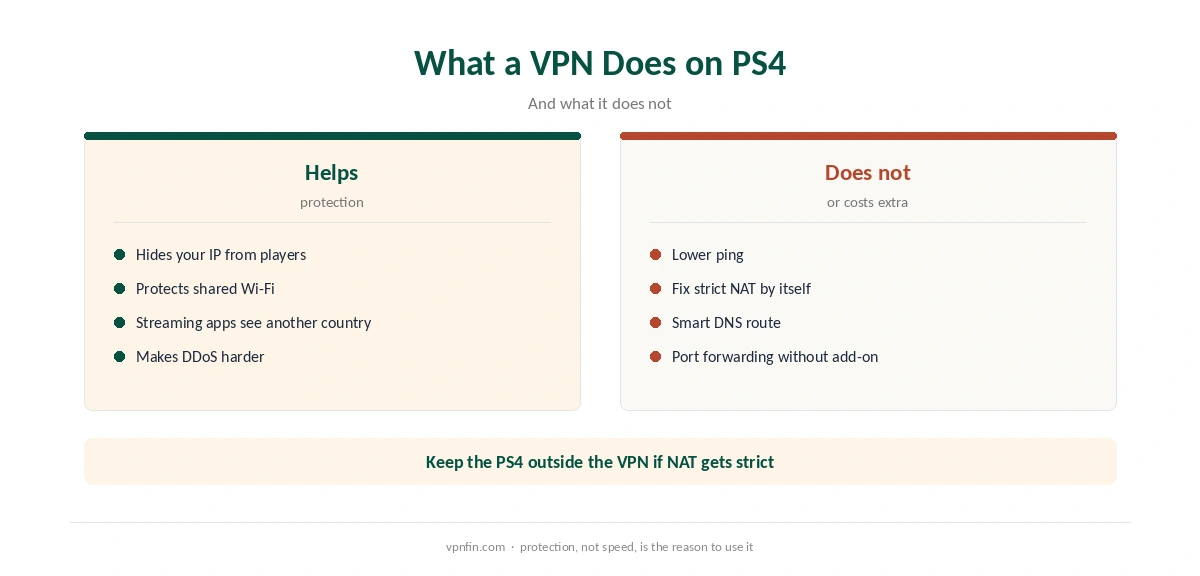
A VPN hides your home IP from other players, which makes DDoS attacks harder. It also protects the console on shared networks, such as a dorm or a hotel, and lets streaming apps on the PS4 see another country.
A VPN rarely improves ping. It adds a step between you and the game server, so the nearest server matters more than anything else. Our gaming VPN guide explains what to expect.
PureVPN PS4 Setup Through a Router
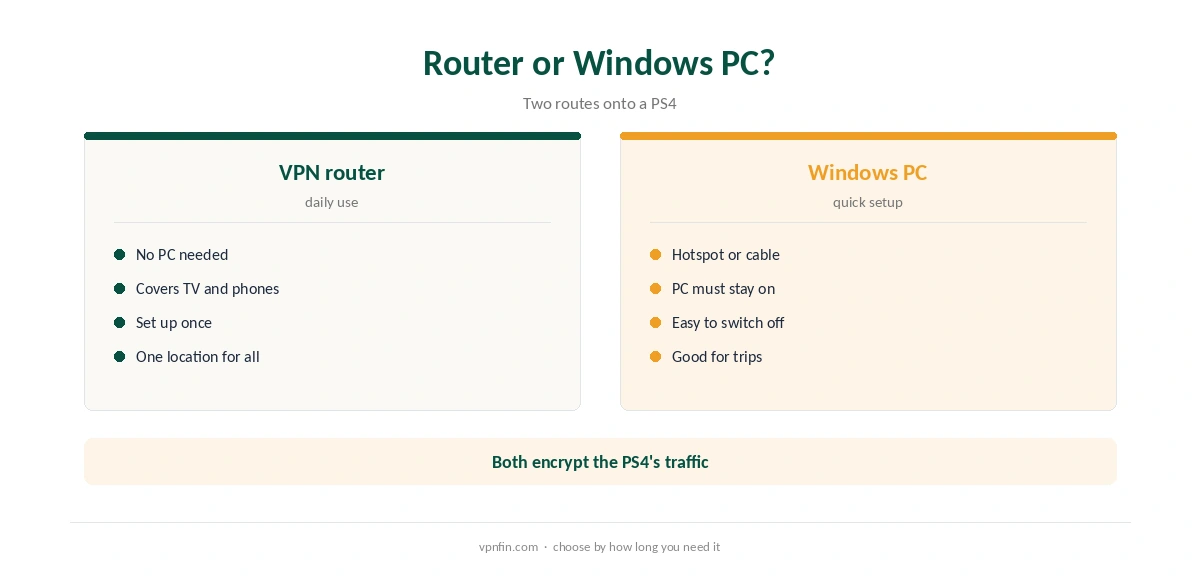
A router running PureVPN covers the PS4 and every other device on the network. PureVPN’s help centre has guides for about 19 router brands and firmwares, from Asus and TP-Link to DD-WRT and OpenWRT, as our PureVPN router guide explains.
Once the router connects, plug the PS4 in by cable or join its Wi-Fi. The console needs no extra settings. The trade-off is that every device on that router shares one location.
PureVPN PS4 Setup Through a Windows PC
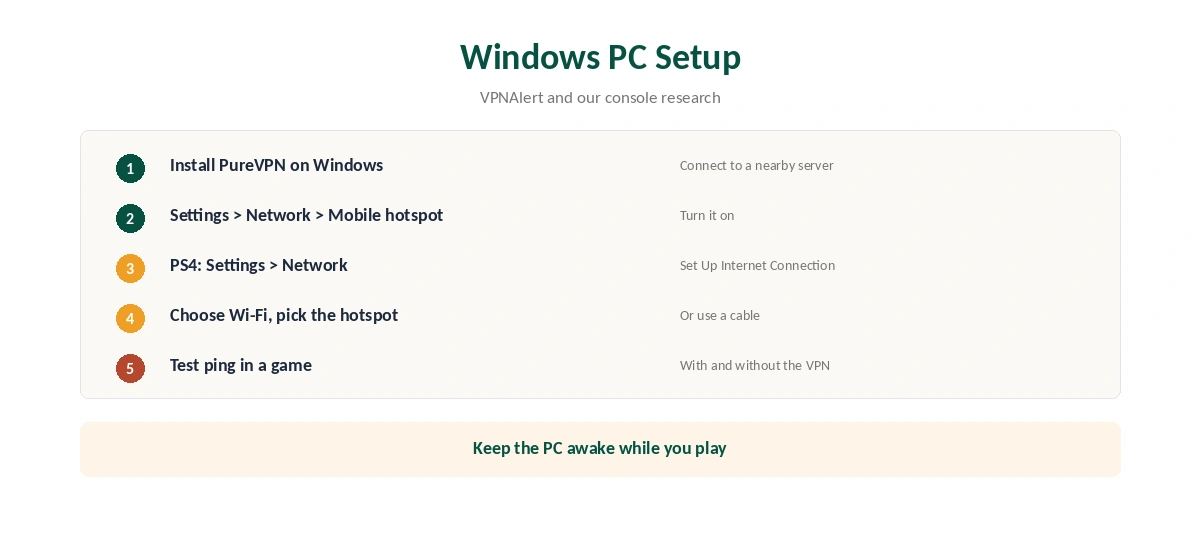
Without a VPN router, a Windows PC can share its PureVPN connection. VPNAlert lists a virtual router among PureVPN’s console options. Install PureVPN on the PC and connect to a nearby server. Then open Settings, Network and Internet, Mobile hotspot, and turn it on.
On the PS4, open Settings, Network, Set Up Internet Connection, choose Wi-Fi and pick the PC’s hotspot. A cable from the PC to the PS4 works too, by sharing the PC’s VPN adapter. The PC must stay on while you play. Our PureVPN Windows guide covers the desktop app.
Why Smart DNS Is Not an Option
Some providers offer Smart DNS for consoles, which changes only how streaming domains resolve. VPNAlert’s comparison lists PureVPN without Smart DNS, and we found no PureVPN Smart DNS service in the sources we read. Even where it exists, Smart DNS adds no encryption and no DDoS protection. Our Smart DNS vs VPN page explains the difference.
Strict NAT and Port Forwarding
Behind a VPN, a PS4 can show a strict NAT type, which limits who you can join in some games. PureVPN sells port forwarding as a paid add-on. ProPrivacy notes it does not work on shared IP addresses, so in practice it pairs with a dedicated IP, as our PureVPN dedicated IP guide explains.
For most players, the simpler fix is to keep the PS4 outside the VPN for online play and use PureVPN on other devices. A guest network without the VPN on the same router makes that easy.
Ping and Server Choice
Pick the PureVPN server closest to you, not one near a particular game region. Measure ping in the game with and without the VPN. If the difference is small, keep the setup for protection. If it is large, try another nearby city or leave the PS4 outside the VPN for competitive matches.
Streaming Apps on PS4
The PS4 runs Netflix, YouTube and other streaming apps. Through a router or hotspot with PureVPN, those apps see the server’s country. Close an app fully and reopen it after changing servers, since console apps cache location. Our PureVPN Netflix guide covers the proxy error.
Kill Switch and the Hotspot
When the PC shares its connection, the PureVPN app on the PC protects the tunnel. If the VPN drops on the PC, the console may fall back to the PC’s normal connection. Turn on the app’s kill switch, if available on your platform, so traffic stops instead.
What PureVPN Costs
On 5 October 2026, PureVPN’s order page listed the Standard 2-year plan at $58.20 for the first 27 months, renewing at $47.95 a year. A separate deals page showed $58.05 for the same term with a $54.95 renewal. The page you buy from changes the renewal by seven dollars a year, so check the renewal line at checkout.
One plan covers 10 devices, and a router or PC counts as one of them. PureVPN offers a 31-day money-back guarantee, as our PureVPN refund guide explains.
| Provider | Renewal price | Per month | Tier |
|---|---|---|---|
| NordVPN | $139.08/yr | ~$11.59 | Basic |
| Surfshark | ~$79/yr | ~$6.58 | Starter |
| ExpressVPN | $99.95/yr | ~$8.33 | Basic |
| CyberGhost | $56.94/yr | ~$4.75 | 2-year |
| PureVPN | $47.95/yr | ~$4.00 | Standard, 2-year (1-year renews $57.95) |
| IPVanish | $89.99/yr | ~$7.50 | Essential |
| Windscribe | ~$69/yr | ~$5.75 | Pro |
| Proton VPN | ~$83.88/yr | ~$6.99 | VPN Plus |
| Mullvad | ~$65/yr | ~$5.40 | flat, no tiers |
| Norton VPN | $79.99/yr | ~$6.67 | Standard |
| Hotspot Shield | ~$95.99/yr | ~$8.00 | Premium annual |
| Astrill | $300 every 2 yrs | ~$12.50 | 2-year, same at renewal |
Related Guides
Our PS5 VPN guide compares providers for PlayStation, and our NordVPN PS5 guide shows a rival with Smart DNS. PureVPN belongs to Gaditek, which absorbed Ivacy in 2024.
Our PureVPN review covers audits and features. Before buying, our PureVPN trial guide explains the 7-day paid trial.
How We Research
This page draws on our console research with TechRadar and SpeedTestHQ, VPNAlert’s provider comparison, ProPrivacy on port forwarding, PureVPN’s router help pages and its pricing pages. We cross-checked these sources against each other, and where they conflict or something can’t be verified, we say so in the text rather than guessing. We checked time-sensitive figures, including prices in US dollars, on 6 October 2026. PureVPN showed two price grids on different pages on 5 October 2026. The main source we relied on is PureVPN’s supported routers page. Our full approach lives on the About Us page.
PureVPN PS4 FAQ
No. PlayStation consoles cannot run VPN apps. Use a router or a Windows PC sharing its connection.
We found no PureVPN Smart DNS service, and VPNAlert’s comparison lists it without one.
Rarely. A VPN adds a step; pick the nearest server to keep the cost small.
Port forwarding is a paid add-on that needs a dedicated IP, or keep the PS4 outside the VPN.
Yes. The PS5 has the same limits and the same router and PC routes.
The Verdict
A PureVPN PS4 setup runs through a router for daily use or a Windows PC for quick sessions. Expect a small ping cost, keep the console outside the VPN if NAT gets strict, and do not count on Smart DNS.