
Disclosure: VPNFin is reader-supported. If you buy a VPN through links on this page, we may earn a commission at no extra cost to you. This never affects our ratings — here’s our full disclosure.
Peacock Surfshark access worked in VPNPro’s 2026 testing, which called Surfshark reliable at getting past Peacock’s VPN blocks and noted more than 600 US servers. Peacock itself is limited to the US and its territories, Comparitech notes, and signing up needs a US payment method. Surfshark’s CleanWeb also blocked ads and trackers during VPNPro’s test.
This guide covers Peacock’s rules, the setup, the error messages and the fixes.
Peacock’s Rules
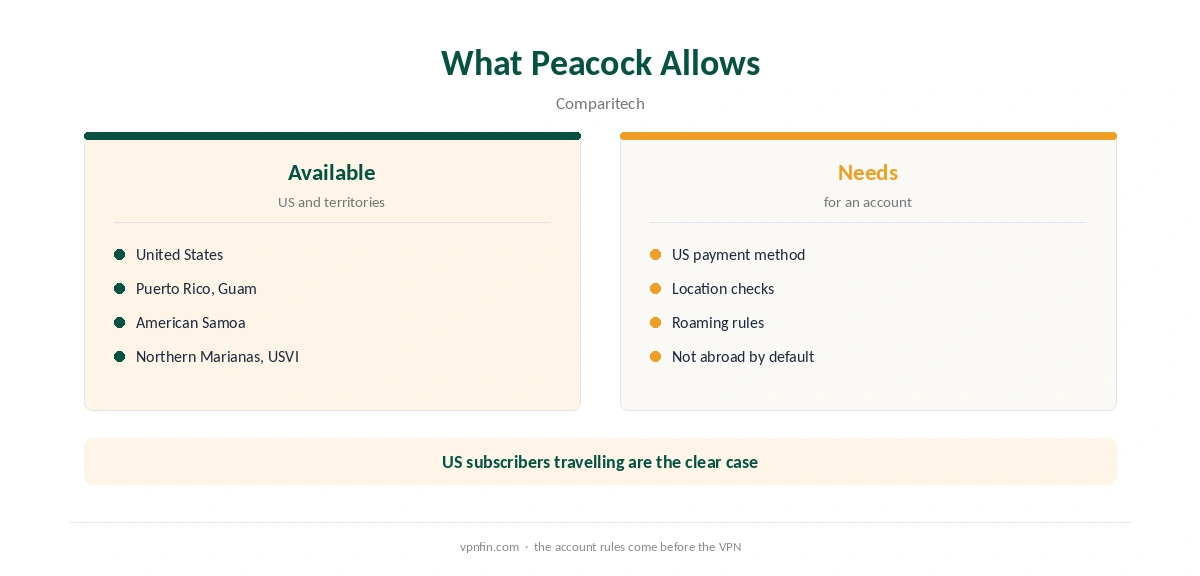
Comparitech lists where Peacock works: the US, Puerto Rico, Guam, American Samoa, the Northern Mariana Islands and the US Virgin Islands. Elsewhere the service is unavailable. A US subscriber travelling abroad is the clear case for a VPN, since a VPN does not provide the US payment method new accounts need.
Peacock Surfshark Setup
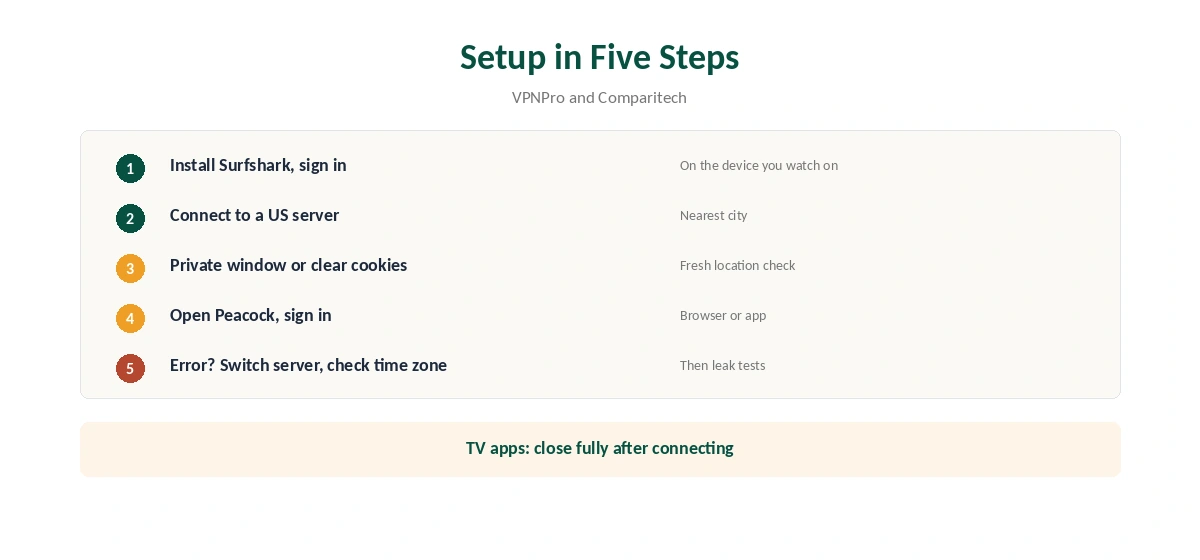
Install Surfshark on the device you watch on and sign in. Connect to a US server, ideally in the city nearest to you for speed. Then open Peacock and sign in.
Comparitech notes Peacock can read cookies, cached data and your device’s time zone. Clear cookies or use a private window, and if errors persist, set the device’s time zone to match the US server’s region.
The Error Messages
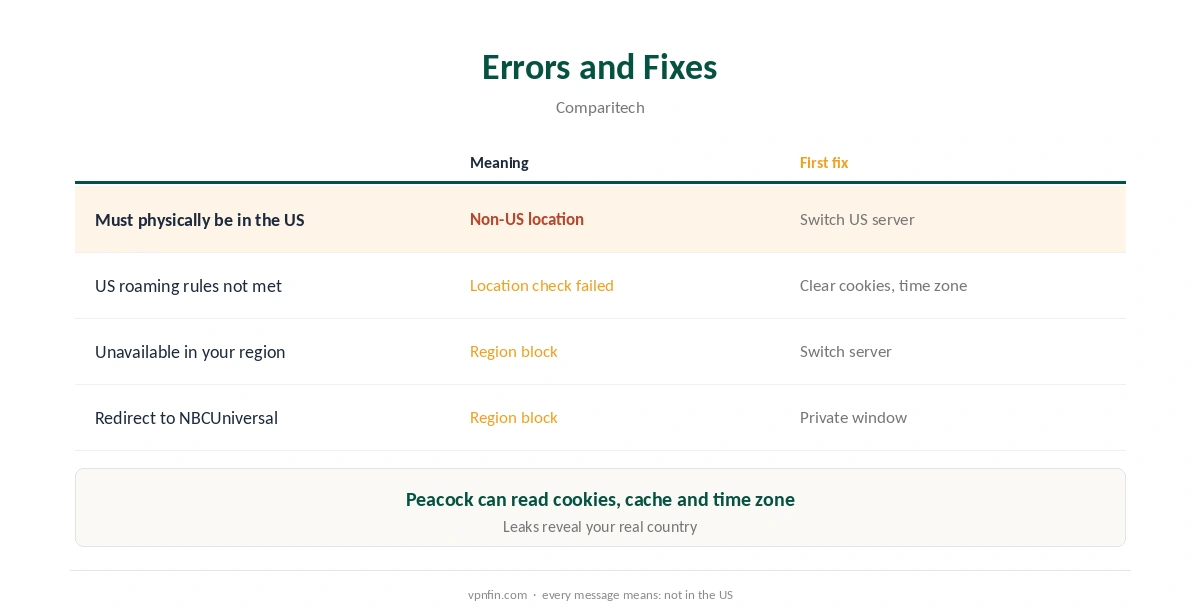
Comparitech lists the messages Peacock shows when it detects you outside the US: that your device must physically be in the US to stream, that you do not meet US roaming rules, or that the service is unavailable in your region. Some users are redirected to NBCUniversal’s site instead.
Each means the same thing: Peacock does not believe you are in the US. Switch to another US server first, then clear cookies and check the time zone.
Peacock’s Ad-Supported and Premium Tiers
Peacock’s plans differ in ads and features, but the location rules apply to all of them. Whichever tier you pay for, Peacock checks that you are in the US or its territories before streaming. A VPN does not change the tier, only the location Peacock sees.
Leak Checks
A leak can show Peacock your real country even on a working server. Test once with our IPv6 leak guide and DNS leak guide.
Then confirm the US address with our VPN test page before opening Peacock, so you know the tunnel is up and pointing at the US.
Peacock on TVs and Sticks
On Fire TV and Android TV, run Surfshark on the same device as Peacock, as our Surfshark Firestick guide and Android TV guide explain. Close the Peacock app fully after connecting so it checks the location again.
Samsung and LG TVs need a router or hotspot, since Surfshark closed its Smart DNS in February 2026, as our Surfshark smart TV guide explains.
Live Sport on Peacock
Peacock carries live sport, which is the most sensitive to distance and server load. Pick the US city with the best speed for you, and test before kick-off. Our sports streaming guide covers blackouts and other live-event rules.
Peacock on Phones
Phones share GPS and time zone with apps. If Peacock rejects you only on a phone, check location permissions and the phone’s time zone, then force-close the app after Surfshark connects. Our Surfshark iPhone guide covers the iOS app.
Which US City
VPNPro counts more than 600 Surfshark servers in the US. From Europe, an East Coast city is usually closer; from Asia or Australia, a West Coast one. Keep two working cities saved, since the one you use most may be flagged on a given day.
Testing Before You Commit
Test Peacock Surfshark access on your own devices within the 30-day refund window. Our Surfshark trial guide explains the options for trying it first. For other US services, our Surfshark Netflix guide covers Netflix’s libraries.
Keeping a Working List
Note which Surfshark US servers worked with Peacock and when. Streaming services update their blocks, so a short list of two or three working cities saves time on the day one stops working. VPNPro credits NoBorders and Camouflage with helping too, so keep both available in the app’s settings for difficult days.
CleanWeb and Ads
VPNPro found Surfshark’s CleanWeb blocking ads and trackers while it streamed Peacock. If a page or stream breaks with CleanWeb on, pause it for Peacock and reload, since some players rely on ad scripts.
What Surfshark Costs
On 25 September 2026, the Starter 2-year plan cost $67.23 for the first 27 months. Renewal sits at about $79 a year, according to Security.org and VPNOverview. Surfshark sets no device limit. Our Surfshark price breakdown covers the plans, and our Surfshark refund guide explains the 30 days.
| Provider | Renewal price | Per month | Tier |
|---|---|---|---|
| NordVPN | $139.08/yr | ~$11.59 | Basic |
| Surfshark | ~$79/yr | ~$6.58 | Starter |
| ExpressVPN | $99.95/yr | ~$8.33 | Basic |
| CyberGhost | $56.94/yr | ~$4.75 | 2-year |
| PureVPN | $47.95/yr | ~$4.00 | Standard, 2-year (1-year renews $57.95) |
| IPVanish | $89.99/yr | ~$7.50 | Essential |
| Windscribe | ~$69/yr | ~$5.75 | Pro |
| Proton VPN | ~$83.88/yr | ~$6.99 | VPN Plus |
| Mullvad | ~$65/yr | ~$5.40 | flat, no tiers |
| Norton VPN | $79.99/yr | ~$6.67 | Standard |
| Hotspot Shield | ~$95.99/yr | ~$8.00 | Premium annual |
| Astrill | $300 every 2 yrs | ~$12.50 | 2-year, same at renewal |
Related Guides
Our Peacock VPN guide compares providers, and our NordVPN Peacock guide covers the sister brand. Surfshark belongs to Nord Security, which also owns NordVPN.
How We Research
This page draws on VPNPro’s 2026 Peacock VPN guide, Comparitech’s Peacock coverage and pricing from Surfshark, Security.org and VPNOverview. We cross-checked these sources against each other, and where they conflict or something can’t be verified, we say so in the text rather than guessing. We checked time-sensitive figures, including prices in US dollars, on 6 October 2026. Surfshark’s renewal table did not load, so renewal figures come from Security.org and VPNOverview. The main source we relied on is VPNPro’s Peacock VPN guide. Our full approach lives on the About Us page.
Peacock Surfshark FAQ
Yes, in VPNPro’s 2026 testing, which found it reliable at getting past Peacock’s blocks.
The US and its territories, including Puerto Rico and Guam, per Comparitech.
Sign-up needs a US payment method, which a VPN does not provide.
It detects a non-US location. Switch US server, clear cookies and check the time zone.
Yes. Run Surfshark on the Fire TV, then reopen Peacock.
The Verdict
Peacock Surfshark access works for US subscribers abroad, with hundreds of US servers. Switch servers on errors, clear cookies, match the time zone, and test live events before they start.